
IceBubble CRM
Product walkthrough Book a call
Field and job management

One job, from the first call to the invoice.

Follow a single job the whole way through IceBubble CRM. It gets booked, surveyed on site, and billed, with nobody re-typing a thing. The same day your team already runs, just with the paperwork taken out.

route Follow the thread

Watch steps 3, 6 and 7. What the engineer captures on site becomes the time log, which becomes the labour charge, which becomes the invoice. Entered once, never keyed again.

Step 01 Office

The enquiry lands

A call comes in. Instead of a Post-it or a name in a diary, you capture who called, the property and the job in one record. From this moment, everything about this job lives in one place.
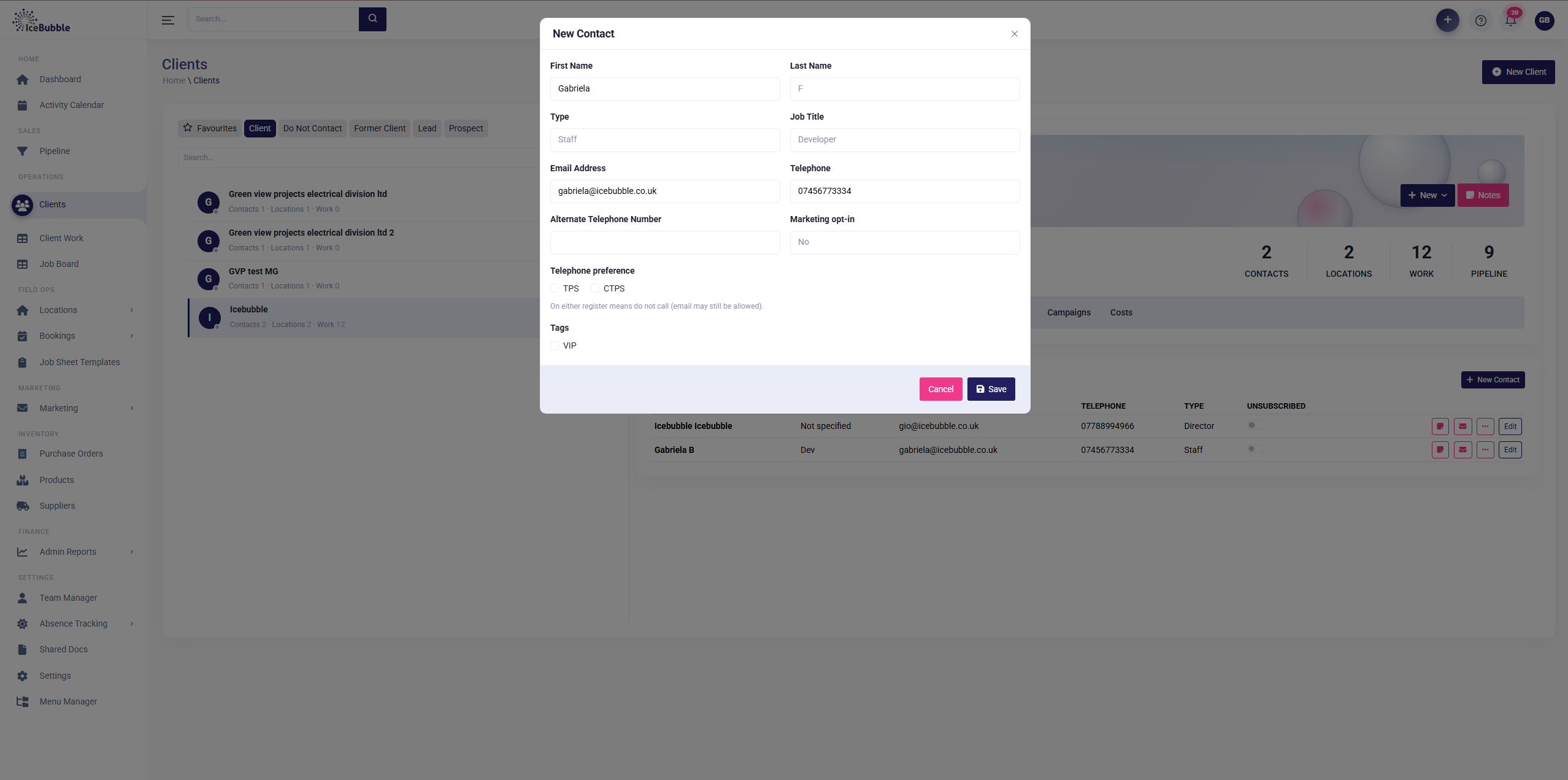
Clients › New contactDesktop
New contact form
The New contact form, filled inimages/01-enquiry.png
check_circle

Why it mattersNothing gets lost between the phone and the office, and nobody re-explains the job three times.

Step 02 Office Manager

Book it to the right person

Drop the job onto the planning board and it goes to whoever is qualified and free. Filter by skill so only the right people show, and the availability key tells you at a glance who is on, part-day, or off.
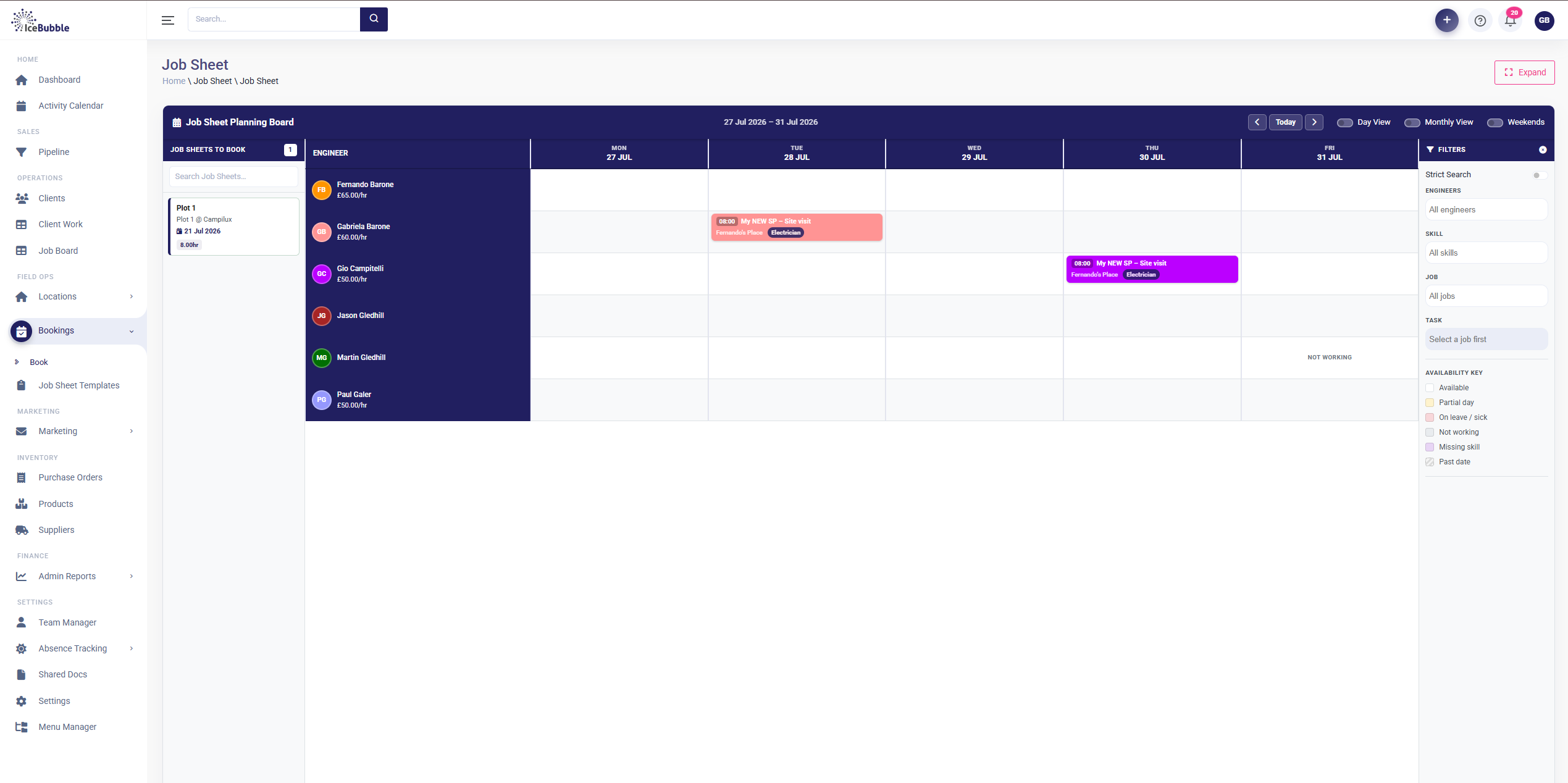
Bookings › Job Sheet Planning BoardDesktop
Job Sheet Planning Board
The Job Sheet Planning Board, week view with a job booked inimages/02-planning-board.png
check_circle

Why it mattersThe right person, first time. Skill-matched and availability-aware, so jobs do not land on someone who is off or not certified for them.

Step 03 Fieldroute Captured once

On site, on a phone

The engineer runs the job from their phone, on site. Arrival time, before-photos and the customer survey, all captured where the work is. This is the single entry that feeds everything downstream.
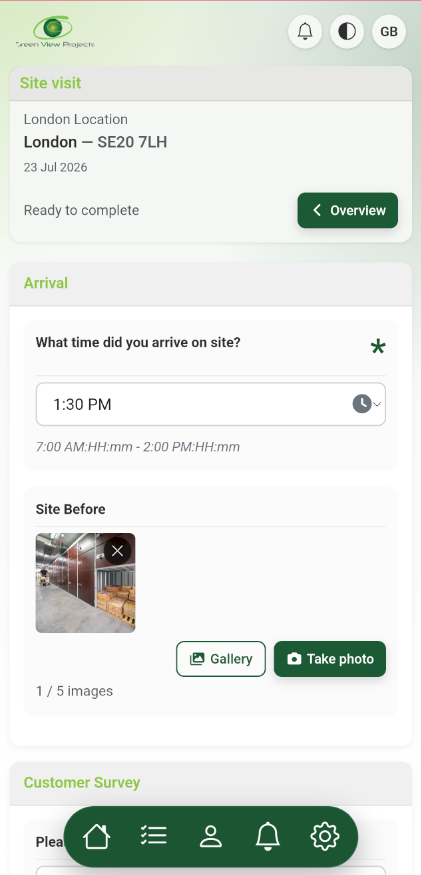
App › Site visitPhone
On-site survey on a phone
The on-site survey on a phone: arrival time, before-photos, customer surveyimages/03-onsite-survey.png
bolt

On the threadEntered once, on the roof. The hours and photos captured here are the same ones that reach the invoice. No second keying, no lost photos.

Step 04 Field

The whole day, mapped

Each engineer sees their runs in order and what is next, plotted on a map. No morning phone-round to find out where everyone is meant to be.
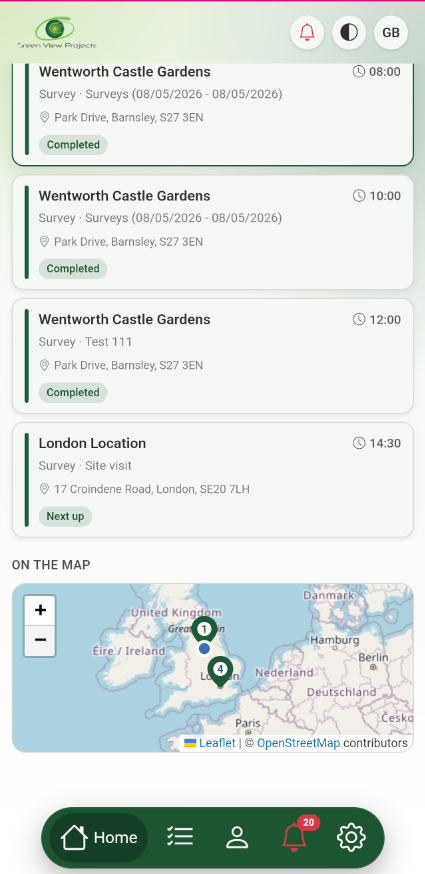
App › My dayPhone
Engineer day with map
The engineer's day: job list with "next up" and the mapimages/04-day-map.png
check_circle

Why it mattersThe crew self-serves its own schedule, so the office stops fielding "where am I today?" calls.

Step 05 Manager

Every job has one home

Back in the office, the job's own page shows completion, days booked and done, and hours at a glance, with tabs for days and surveys, time, sign-off and charges. One job, one place.
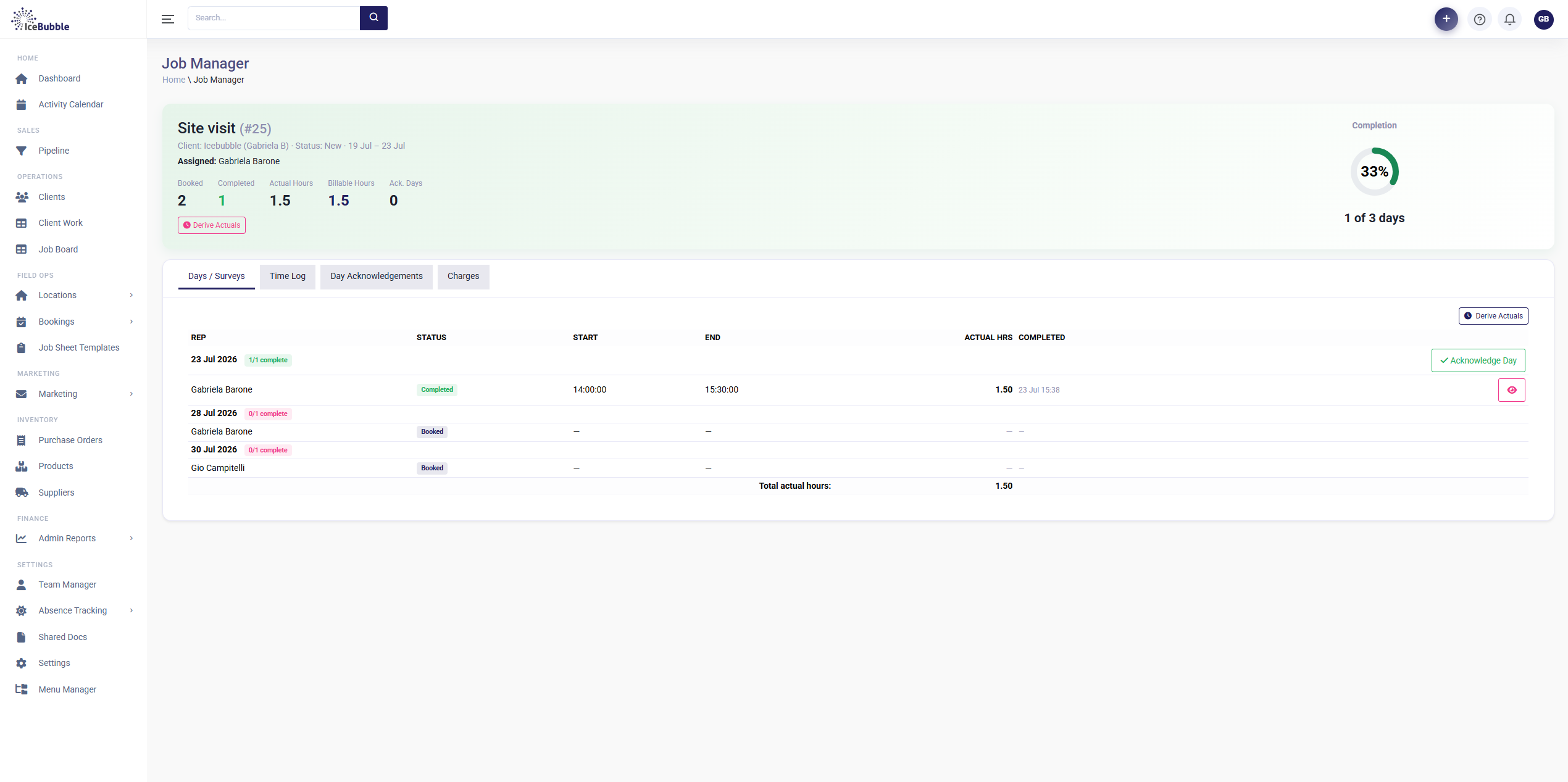
Job Manager › Days / SurveysDesktop
Job Manager days and surveys
The Job Manager: header stats plus the Days / Surveys tabimages/05-job-days.png
check_circle

Why it mattersA manager sees every live job and where it stands without ringing round the crews.

Step 06 Managerroute Flows to time

Time that logs itself

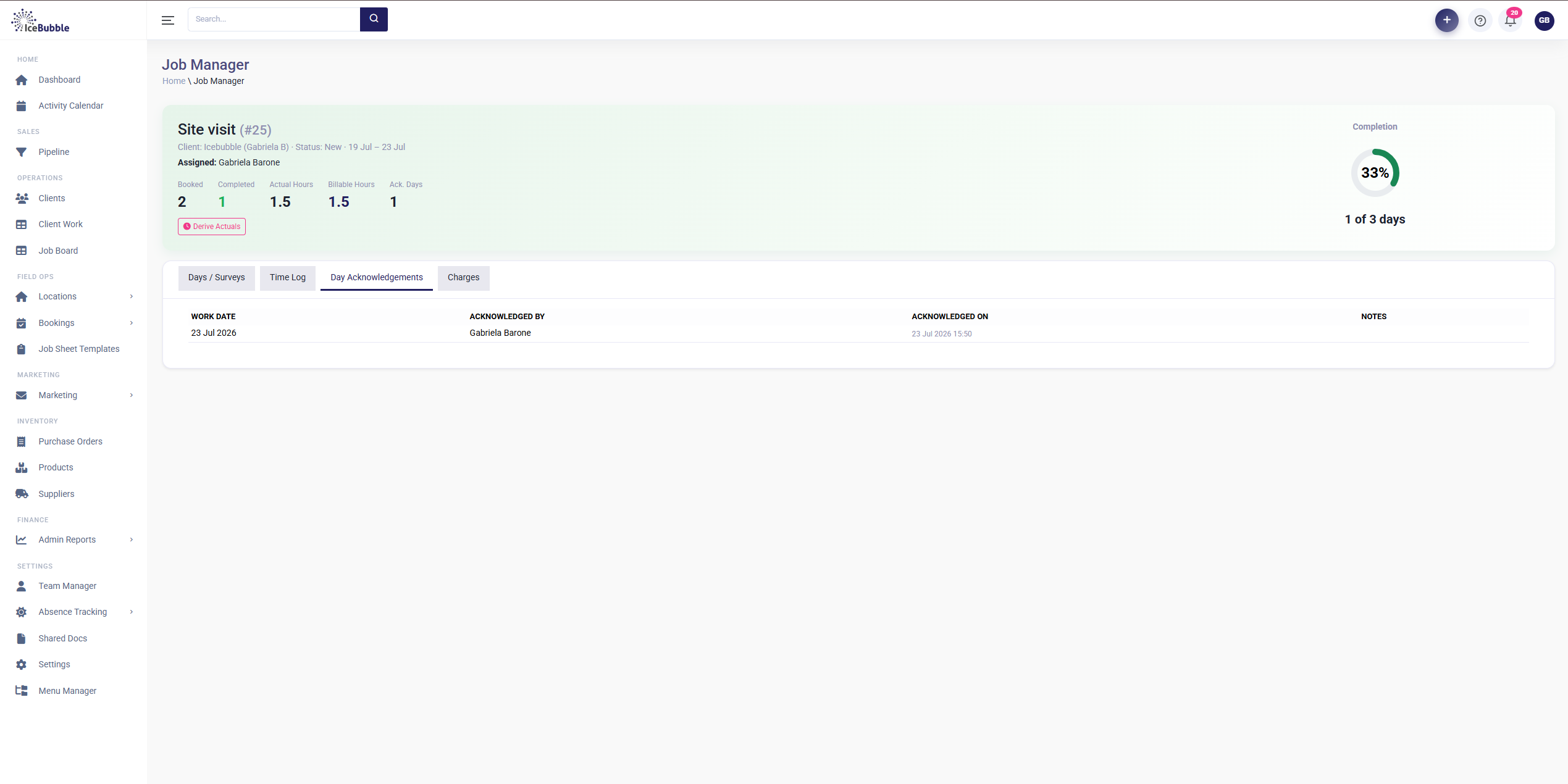
The hours on the job are auto-derived from the site survey, so the engineer never fills in a timesheet. Each day gets acknowledged and signed off, so billable time is trustworthy before anyone talks money.
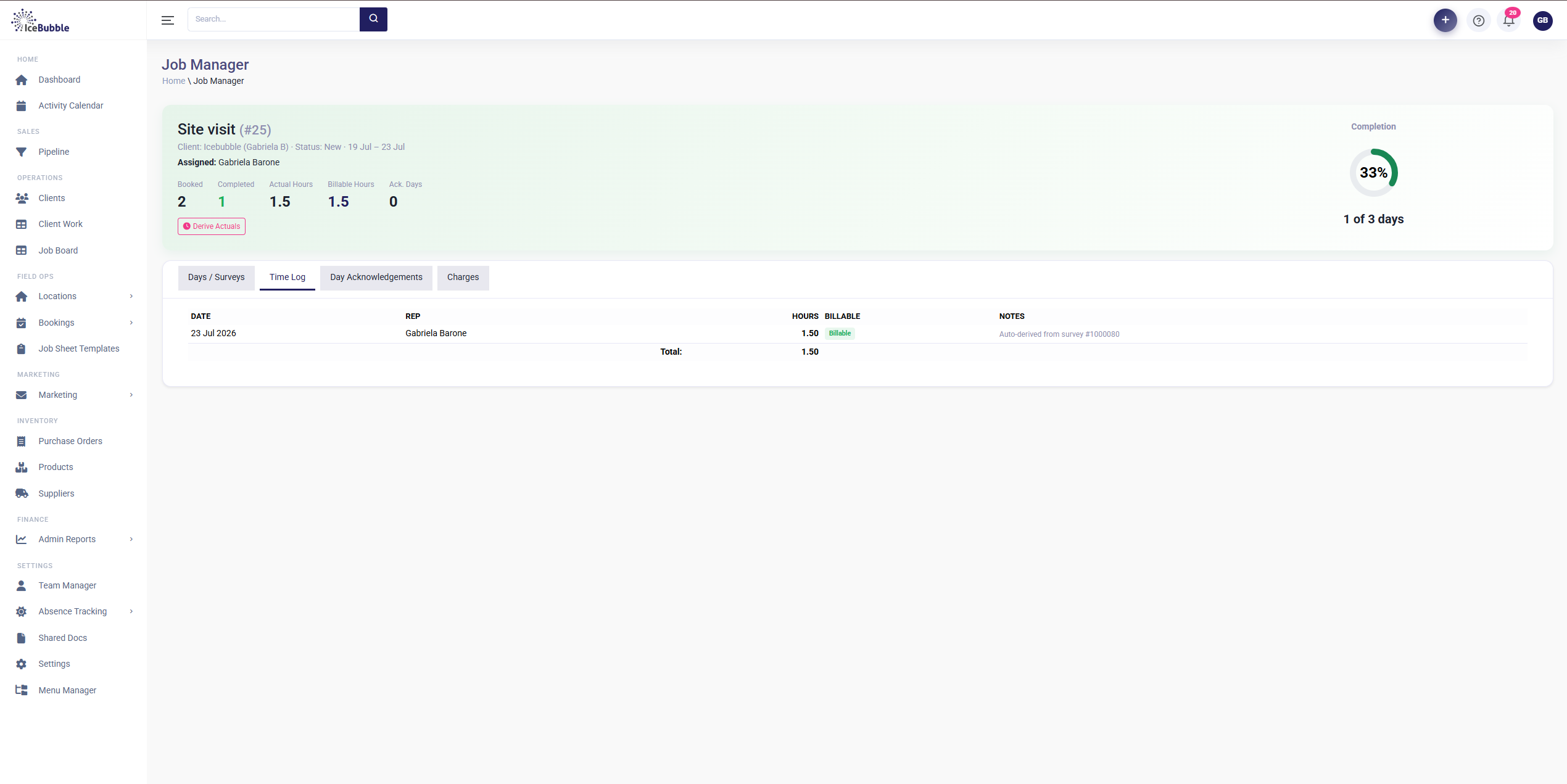
Time LogDesktop
Time Log tab
Time Log, "auto-derived from survey"images/06a-time-log.png
Day AcknowledgementsDesktop
Day Acknowledgements tab
Day Acknowledgements, each day signed offimages/06b-acknowledgements.png
bolt

On the threadTimesheets disappear. The billable hours come straight from what happened on site, already signed off, ready to charge.

Step 07 Managerroute Flows to invoice

From work done to invoice

Labour builds itself from actual hours times rate, add any materials, and the job is one click from Mark Ready to Invoice. The uninvoiced total is right there, so you can see the money owed on every finished job.
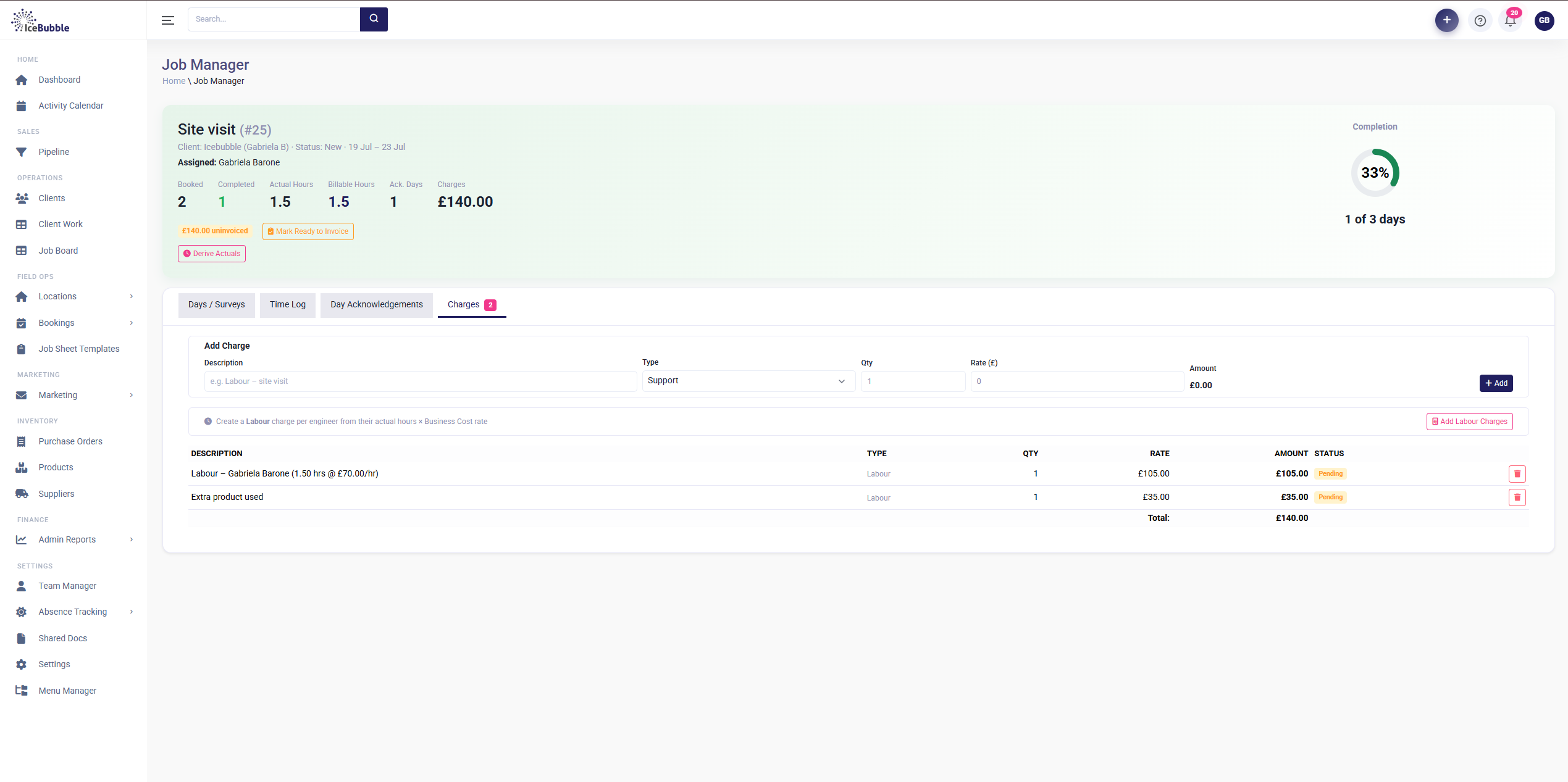
Job Manager › ChargesDesktop
Charges tab
The Charges tab: labour from actual hours, and Mark Ready to Invoiceimages/07-charges.png
bolt

On the threadThe loop closes. Time captured on the roof in step 3 is now a priced charge, ready to bill, with nobody re-keying a thing.

apps The whole platform

One system, not five separate tools

The walkthrough followed a single job. Around it sits everything else a growing field business runs on, all sharing the same data and the same login.

groups

Sales & customers

Pipeline, prospects, client and contact manager, and a self-service client portal.

event_available

Scheduling & field

Booking diary with book, modify, transfer and cancel, territory manager, mobile on-site surveys and a survey builder.

work

Jobs & delivery

Client work, job board, the job manager, quality control and shared documents.

receipt_long

Billing & finance

Charges and invoicing, expenses, bank submissions, remittances, and sync with Xero, QuickBooks, Sage and FreeAgent.

inventory_2

Inventory & assets

Products, suppliers, purchase orders, and an asset register and catalogue.

campaign

Marketing & comms

Email campaigns, landing pages, templates, a shared inbox, and SMS and app push notifications.

star

Reputation

NPS surveys and automated review requests that build your rating after every job.

badge

People & compliance

Team manager, holiday and absence tracking, right to work and GDPR tools.

monitoring

Reporting & insight

Dashboards, expense, time, ticket and sales reports, a custom report builder and data export.

hub

Platform & integrations

An open API in and out, webhooks, data import, Google and Microsoft calendar sync, and an automations and rules engine.

Ready to see it on your own jobs?

No hard sell, just a straightforward conversation about how your team works and whether this fits.

Book a call